
Core Web Vitals Explained for Non-Engineers
LCP, INP, and CLS in plain English: what each measures, whether it moves rankings, and how to check yours without an engineer.
 By David Jubé · Jun 10, 2026 · 11 min read

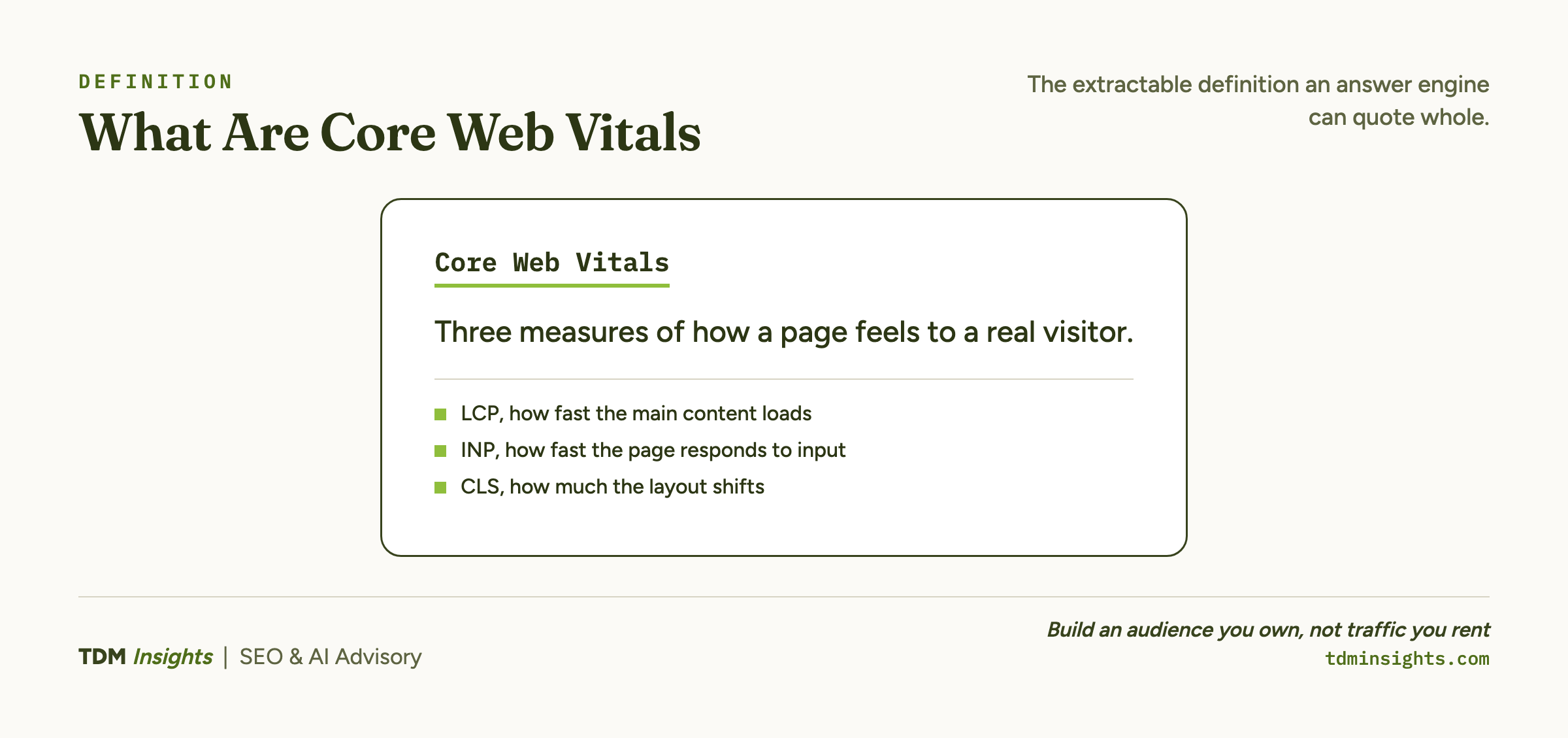
Core Web Vitals are three measurements of one thing: does your page feel fast and stable to a real person? That is the entire concept, stripped of the milliseconds and waterfall charts most explanations bury you in.
The three metrics are Largest Contentful Paint, Interaction to Next Paint, and Cumulative Layout Shift. Largest Contentful Paint (LCP) asks how fast the main content shows up.
Interaction to Next Paint (INP) asks how fast the page reacts when someone taps. Cumulative Layout Shift (CLS) asks how much the page jumps around while it loads.
This article defines each metric in plain language, tells you whether they actually move rankings (honestly), and shows you exactly where to read your own scores.
Key takeaways
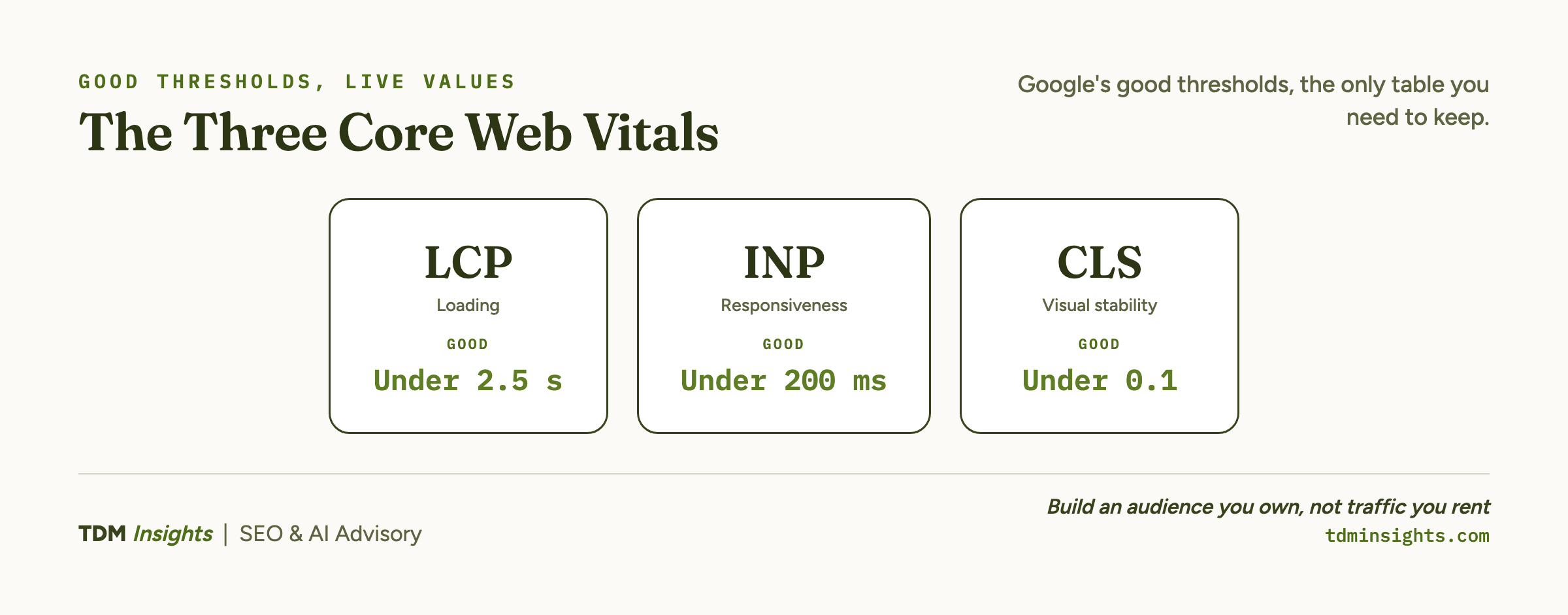
- Google’s good thresholds are Largest Contentful Paint under 2.5 seconds, Interaction to Next Paint under 200 milliseconds, and Cumulative Layout Shift under 0.1, passing only when 75 percent of real visits clear them.
- Core Web Vitals are a confirmed Google ranking signal but a modest one, a tiebreaker between similar pages, so treat them as a High-tier fix that never outranks indexation or strong content.
- Without a developer you can fix the biggest wins yourself: compress and right-size images for LCP, remove unused apps and scripts for INP, and set explicit image dimensions to stop the CLS jumps.
- Read your mobile field data first, since Google ranks mobile-first on the Chrome User Experience Report, then use Search Console to find failing page groups and PageSpeed Insights to diagnose a representative page.
The answer: three metrics, one question, and they are High, not Critical
Core Web Vitals score one question across three angles: speed, responsiveness, and visual stability. Speed is LCP, responsiveness is INP, and stability is CLS.
They are a confirmed Google ranking signal as part of page experience, but a modest one. Google treats them as a tiebreaker between similarly relevant pages, not a primary factor, which makes them a High-tier fix in the severity model rather than a Critical one. None of it matters if Google cannot index the page first, so confirm indexation before you touch a vitals score.
Relevant, helpful content on a slightly slow page still outranks a fast page with weak content. Which is why the volume question (roughly how many posts you need before a topic ranks at all) moves the needle far more than a vitals score ever will.
One detail trips up most founders: Google scores mobile and desktop separately, and because it indexes mobile-first, your mobile vitals carry the most weight. Read the mobile numbers first, since that is the version Google ranks on.
Technical SEO, fixed by severity lays out where vitals sit in the full model. A fast, stable page only matters once it carries content worth loading, which is the case made in content that ranks and gets cited by AI.
Here are the three metrics with Google’s “good” thresholds, which is the only table you need to keep:
You pass the assessment when 75 percent of real visits meet all three thresholds. Hitting the thresholds is the goal. Chasing a perfect score past them is wasted effort.
LCP: how fast the main content shows up
Largest Contentful Paint measures the moment the biggest visible element finishes loading, usually a hero image, a headline, or a large block of text. It is the closest single number to “how long until this page looks loaded to a human.”
Slow LCP almost always traces to one of a few causes: a large unoptimized image, a slow server response, or render-blocking code that delays the page from drawing.
For a founder, the most common culprit is images. A hero photo exported straight from a camera or a design tool can be several megabytes, and that one file can blow your LCP on its own.
The site-speed fixes that move rankings rank the image and render fixes by impact. A fast-loading page is also a more extractable one, which is part of how AI answer engines choose their sources when they decide what to quote.
INP: how fast the page reacts when you tap
Interaction to Next Paint measures responsiveness: when a visitor taps a button, opens a menu, or types in a field, how long until the page visibly responds? It replaced an older metric called First Input Delay in 2024 and is stricter, because it watches every interaction across the visit, not just the first.
Slow INP is almost always caused by heavy JavaScript: scripts that tie up the browser so it cannot respond to the tap. On a small site, that usually means too many third-party apps, tracking scripts, or chat widgets all running at once.
The primary, per-metric source for this one is web.dev’s Interaction to Next Paint explained, which walks through what counts as an interaction and why. For most founders the fix is subtraction: remove the apps and scripts you are not actively using.
CLS: how much the page jumps around
Cumulative Layout Shift measures visual stability: how much content moves around unexpectedly while the page loads. You have felt bad CLS yourself, when you go to tap a button and an ad or image loads above it, shoving the button down so you tap the wrong thing.
Unlike the other two, CLS is a unitless score rather than a time. The usual causes are images and embeds without declared dimensions, fonts that swap and reflow text, and content injected above what is already on screen.
The fix is mostly about reserving space. Set explicit width and height on images so the browser holds their slot before they load.
The primary source is web.dev’s Cumulative Layout Shift explained. This is often the easiest of the three vitals to fix without a developer, because it is frequently a matter of declaring dimensions.
Do vitals actually move rankings? The honest, second-order answer
The honest magnitude is small, smaller than most founders expect. The reason this matters is how it changes the way you read a ranking drop.
If a page is losing for content reasons, optimizing its vitals is a misdiagnosis that burns a weekend and moves nothing. The fix in that case is the content, not the speed score.
The page experience rollout that introduced this is well documented in Conductor’s overview of the page experience update.
For a practitioner’s view of how lab testing and real-world data differ, Sitebulb’s guide on what SEOs need to know about Core Web Vitals is a clear read. A third-party optimization angle worth scanning is Ahrefs’ guide to optimizing Core Web Vitals for SEO.
The practical takeaway: fix clear vital failures because they are easy wins and they help users, but never at the expense of indexation or content. Improving vitals also will not compress the timeline for SEO to actually pay off, which is driven by content and authority rather than a faster page. A fast, stable page is also a more extractable one, which matters once you start thinking about being cited by AI answer engines, the focus of answer-first writing and schema for AI.
Book a free diagnosis
Reading your vitals is straightforward. Knowing which failing metric on which page group is actually worth your weekend is the part that trips founders up. We run a free diagnosis on your live site: we pull your real-world Core Web Vitals, tell you which of the three is failing and why, and whether it is even your highest-leverage fix. No pitch, just a straight read on your numbers.
How to check your own scores
There are two tools, and they answer different questions.
For a single page, run it through Google’s PageSpeed Insights. It gives you both lab data and field data. Lab data is a Lighthouse simulation, useful for debugging, while field data is the Chrome User Experience Report (CrUX), a rolling 28-day window of real visits.
The field data is what Google actually uses for ranking, so read the CrUX section first and treat the Lighthouse score as a debugging aid only. For your whole site, open the Core Web Vitals report in Google Search Console. It groups all your URLs by status (good, needs improvement, poor) using real visitor data, and separates mobile from desktop.
The order to work in: use Search Console to find which page groups fail, then use PageSpeed Insights to diagnose a representative page from each failing group. Before you spend any time here, though, confirm the prerequisite covered in why a site is not indexed: optimizing the vitals of a page Google cannot see is pure waste. Once a page is fast and indexed, the next question is proving it earns attention, which is where measuring AI traffic with no referrer comes in.
What a non-engineer can fix today versus what needs a developer
You can do more than you think without code. Three categories of fix need no developer:
- Images. Compress and right-size them to improve LCP. This is usually the single biggest founder-fixable win.
- Apps and scripts. Remove unused third-party apps, chat widgets, and tracking tags to improve INP.
- Dimensions. Set explicit width and height on images and embeds to improve CLS.
On the managed builders (Shopify, Wix, and Squarespace), the platform handles most of the underlying performance, so pruning apps and heavy media is your main lever. WordPress gives you the most control and the most room to slow yourself down with heavy themes and plugins, which is part of how the four platforms compare.
What does need a developer: server response time, deep render-blocking code, custom theme JavaScript, and font-loading strategy. Those are real, but they are rare bottlenecks on a small site, and they are worth a developer’s hour only after the no-code wins are done.
If your vitals are flagged at all, you will find the prioritized, severity-aware version in the full severity-ranked checklist. Vitals are worth fixing, but they sit downstream of the bigger decision of what to publish in the first place, which starts with finding keyword demand you can actually win and then building a content strategy around a library that ranks and gets cited.
Frequently Asked Questions
What are Core Web Vitals in plain English?
Core Web Vitals are three Google measurements of how a page feels to a real visitor. Largest Contentful Paint measures how fast the main content loads, Interaction to Next Paint measures how quickly the page responds when tapped, and Cumulative Layout Shift measures how much things jump while loading. Together they score speed, responsiveness, and visual stability.
Do Core Web Vitals actually affect Google rankings?
Yes, but modestly. Core Web Vitals are a confirmed ranking signal as part of page experience, yet Google treats them as a tiebreaker, not a primary factor. Relevant, helpful content on a slightly slow page still outranks a fast page with weak content. Treat vitals as a High-tier fix, never above indexation.
What is a good LCP, INP, and CLS score?
Google’s “good” thresholds are Largest Contentful Paint under 2.5 seconds, Interaction to Next Paint under 200 milliseconds, and Cumulative Layout Shift under 0.1. You pass the assessment when 75 percent of real visits meet all three. Hitting the thresholds is the goal; chasing a perfect score past them is wasted effort.
What does “Core Web Vitals assessment failed” mean?
It means fewer than 75 percent of your real-world visits met Google’s thresholds for one or more of the three metrics. Open the Core Web Vitals report in Search Console to see which metric and which page group failed. Failing one metric fails the whole assessment, so fix the specific failing metric first.
How do I check my site’s Core Web Vitals?
Run a page through Google’s PageSpeed Insights for both lab and real-world (field) data. For a site-wide view, open the Core Web Vitals report in Google Search Console, which groups your URLs by status using real visitor data. PageSpeed diagnoses one page; Search Console shows the pattern across your whole site.
How do I improve Core Web Vitals without a developer?
Several wins need no code: compress and right-size images to improve Largest Contentful Paint, remove unused apps and third-party scripts that slow responsiveness, and set explicit image dimensions so the page stops jumping. On Shopify and Wix, pruning apps and heavy media covers most of it. Deeper server or render fixes do need a developer.
Continue Reading:
More On Technical SEO for Founders
- Technical SEO for Founders: What to Fix First
- Why Isn’t My Site Indexed? A Founder’s Diagnostic
- Crawl Budget and Indexation for Small Sites
- Site Speed: The Fixes That Actually Move Rankings
- Structured Data for SEO: The Founder’s 80/20
- WordPress vs Shopify vs Wix vs Squarespace, Compared
- SEO and AI Visibility Tracking Tools, Compared
More from TDM Insights
- Content That Ranks and Gets Cited by AI
- How AI Answer Engines Choose Their Sources
- How to Measure AI Traffic With No Referrer
- Content Strategy for Founders: A Library That Ranks, Gets Cited, and Pays for Itself
- Schema Markup for AI: Answer-First Writing Guide
Explore TDM Insights Categories