
A Setting Can Be Switched On and Still Do Nothing
Three checkout defects found during a rebuild nobody hired us to audit. All three looked correct in the admin and had never once fired.
 By David Jubé · Jul 23, 2026 · 6 min read
Rebuilding a shop means reading its store configuration, because the new templates have to render whatever the old settings produce. On a recent replatform that reading turned up three defects in the checkout, none of which we had been hired to look for, and all three had been live long enough to have cost the merchant money.
The pattern connecting them is worth more than the fixes. In all three cases a setting was switched on, looked correct in the admin, and did nothing at all.
Key takeaways
- An enabled setting is a claim, not a fact. The only proof is the behaviour of a simulated transaction.
- Plugins that match on a free-text title fail silently the moment someone renames the thing they point at.
- When two systems can both state a rule, customers will eventually be shown the one that is not enforced.
Defect one: a shipping rate that could never match
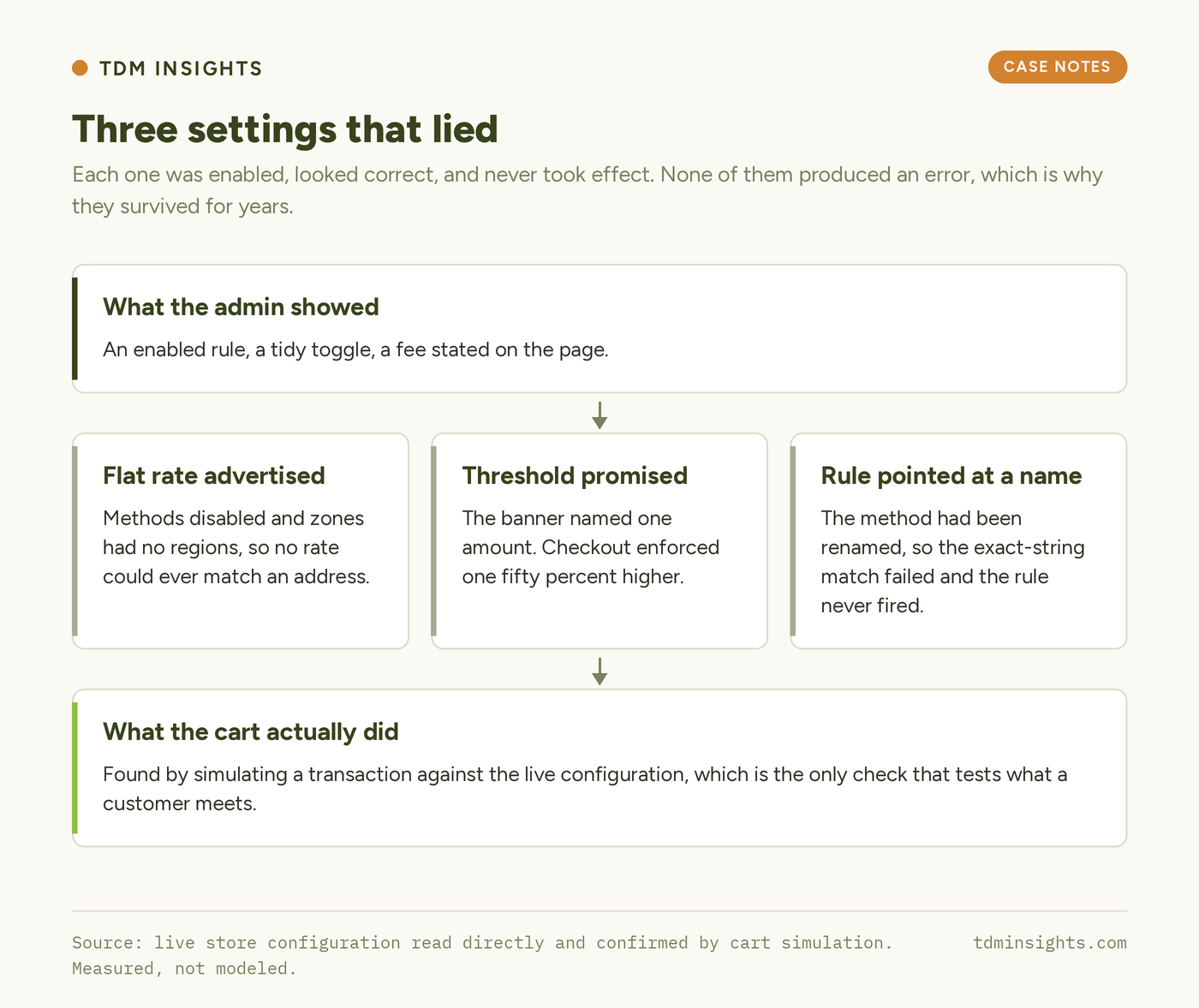
The storefront told customers shipping was a flat fee within the country. The store could not charge it. The flat-rate methods existed and were switched off, and the shipping zones they sat in had no regions assigned, so no rate could match any address even if they had been enabled. The only live method was free local pickup.
The advertised fee existed purely in page copy. It had never been a configuration. Everyone had read the sentence on the site and assumed the store behind it agreed.
Defect two: a threshold the checkout would refuse
A plugin banner promised free shipping over one amount. WooCommerce’s free shipping method required a minimum order value that was fifty percent higher. A shopper adding items to reach the advertised number would arrive at checkout and be charged.
The cause is structural rather than careless. Two systems were each able to state the rule, one in marketing copy and one in configuration, and nothing reconciled them. The fix was to make the commerce platform the single source of truth and have the cart notice read the live value instead of repeating a number typed into a plugin.
Defect three: an exact-string match nobody could see
A date-picker plugin was configured to exclude pickup dates for one shipping method. It named the method as a full title string. The store’s actual method carried a different title, because it had been renamed at some point after the rule was written.
The plugin compares the two strings exactly. They did not match, so the exclusion never applied, and the admin screen went on showing an enabled rule with a tidy green toggle. Nothing logged a warning, because from the plugin’s point of view nothing had gone wrong.
The read
| Setting | What the admin showed | What the store did |
|---|---|---|
| Flat-rate shipping | A fee advertised in page copy | Methods disabled, zones had no regions, no rate could match |
| Free-shipping threshold | Banner promising the lower amount | Minimum order value set fifty percent higher, enforced at checkout |
| Pickup date exclusion | Enabled, pointing at a named method | Method title had changed, exact-string match failed, rule never fired |
The detail that separates a pattern from three coincidences is that none of these produced an error. No warning, no log line, no broken page. Each one degraded into silence, which is why they survived years of the merchant using the admin every week.
We found them by simulating carts against the live configuration rather than by reading settings screens: add a product, set an address, see which rates appear and at what totals. That takes minutes and it is the only check that tests the thing customers actually meet.
What this teaches
- Verify commerce configuration by simulating a transaction, not by reading the admin. The admin shows intent; the cart shows behaviour.
- Treat any plugin setting that references another object by its name as a latent defect. Renaming the target breaks it silently.
- Give every customer-facing rule exactly one owner. If copy and configuration can each state a threshold, they will eventually disagree.
- Read page copy as an unverified claim during an audit. A sentence about shipping is not evidence that shipping is configured.
- Prefer failures that are loud. A rule that silently does nothing is more expensive than one that visibly breaks, because nobody goes looking.
- Audit the checkout during any rebuild, even when it is out of scope. It is the one path where a silent defect converts directly into lost money.
Frequently Asked Questions
Why is my WooCommerce shipping method not showing at checkout?
Most often the shipping zone has no regions assigned, so no address can match it, or the method itself is disabled within the zone. Check the zone’s region list first, then the method’s enabled state, then confirm by simulating a cart with a real address rather than trusting the settings screen.
How do I test WooCommerce shipping settings safely?
Add a product to a cart, enter a destination address, and read which rates appear and at what totals. Repeat above and below any free-shipping threshold. This exercises the same code path a customer does, which reading the admin screens does not.
Can a WordPress plugin setting be enabled and still do nothing?
Yes, and it is common. Plugins that reference another object by its display name fail the moment that name changes, because the comparison is an exact string match. The setting stays enabled, the admin looks correct, and no error is written anywhere.
Where should a free-shipping threshold be defined?
In the commerce platform, once. Any banner, cart notice or policy page should read that live value rather than repeat a number. When copy and configuration can both state the rule, a customer will eventually be promised something the checkout refuses.
What should a website audit check in an online store?
Beyond content and speed, check that shipping zones have regions, that methods are enabled, that advertised thresholds match enforced ones, that payment mode is live rather than test, and that order emails actually deliver. Confirm each by simulating the transaction.
How often do ecommerce configuration errors go unnoticed?
Indefinitely, when they fail silently. These three had survived years of daily admin use because none produced an error, a warning or a broken page. They surfaced only when someone read the configuration against what the storefront was claiming.
The takeaway in one line: test the cart, not the settings screen, because a rule that fails silently will keep looking correct for as long as nobody checks.
Not sure your checkout enforces what your site promises? Simulating that is part of a free diagnosis.
Continue Reading:
More From This Project
- Ten Days Is a Sequencing Problem, Not a Speed One
- Never Run a Bulk Catalogue Job Without a Way Back
- Why Category Pages Need an Answer Above the Grid
More from TDM Insights
- Technical SEO for Founders: What to Fix First
- Why Isn’t My Site Indexed? A Founder’s Diagnostic
- WordPress vs Shopify vs Wix vs Squarespace, Compared
- Crawl Budget and Indexation for Small Sites
- SEO for Startups: What to Do in the First 90 Days
Explore TDM Insights Topics